Timer and Stopwatch System
NeuraBUG
in Web Development
Timer and Stopwatch System
₹199.00
₹399.00
Available for download
Project DetailsClick Here
Product DemoClick Here
Description
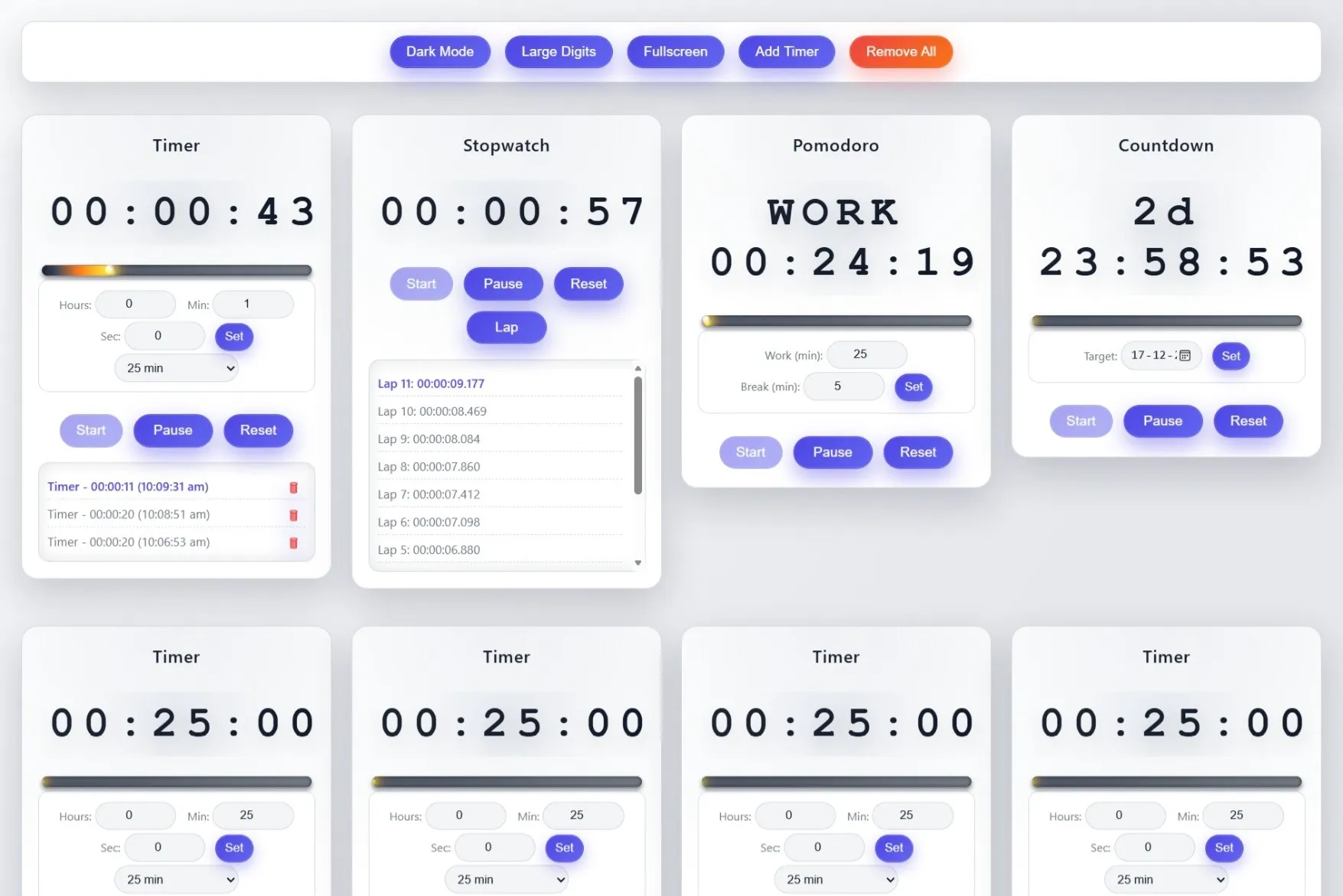
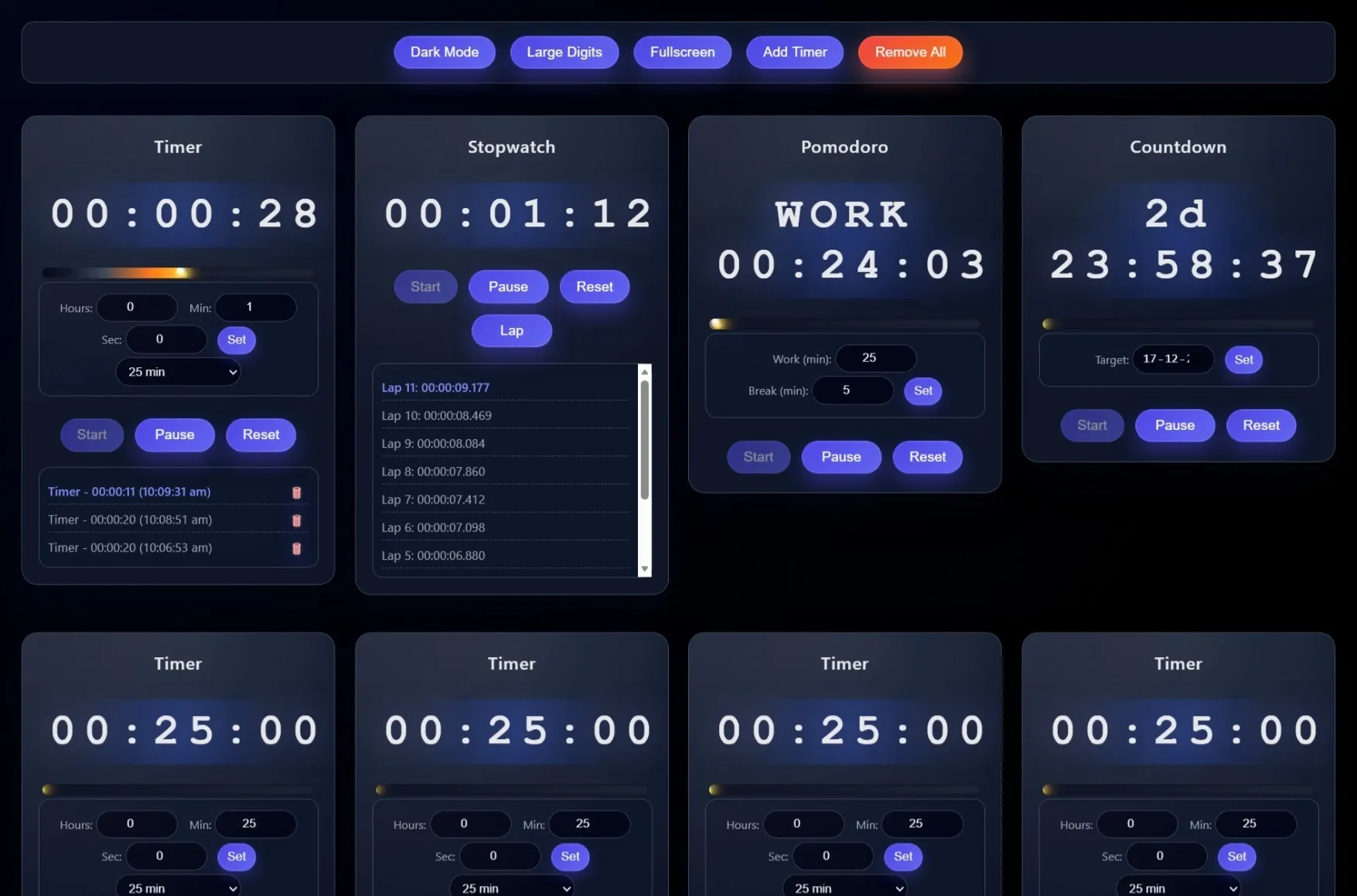
The Timer and Stopwatch Management System is a web-based application designed to measure and manage time efficiently for various activities. The system provides timer and stopwatch functionalities with options to start, pause, resume, and reset time accurately. It helps users track time-based tasks in a simple and organized manner through a user-friendly interface.
Requirements
Project Name
Timer and Stopwatch System
Language Used
HTML5, CSS3, JavaScript (ES6+)
Database
None (Client-side only)
UI Framework
Custom CSS
Web Browser
Modern browsers (Chrome, Firefox, Safari, Edge)
Software
VS Code (with Live Server extension)
User Module
Timer Controls
Start, pause, and reset timers
Multiple Timer Types
Timer, Stopwatch, Pomodoro, and Countdown
Progress Tracking
Visual progress bar and time remaining
History
Session history with timestamps
Customization
Editable timer titles and settings
Notifications
Audio and browser alerts
Responsive Design
Works on mobile and desktop
How to Run
▶️ How to Run the Project
->Install Visual Studio Code.
->Open VS Code and install the Live Server extension.
->Open the project folder in VS Code.
->Right-click on index.html.
->Click “Open with Live Server”.
->The project will open automatically in your default web browser.
->Install Visual Studio Code.
->Open VS Code and install the Live Server extension.
->Open the project folder in VS Code.
->Right-click on index.html.
->Click “Open with Live Server”.
->The project will open automatically in your default web browser.
Important: Default max downloads per day (per order): 2. Download access may also be limited to 7 days from purchase.