Pharmacy Medical Store Management System
NeuraBUG
in Web Development
Pharmacy Medical Store Management System
₹499.00
₹899.00
Available for download
Project DetailsClick Here
Product DemoClick Here
Description
A comprehensive pharmacy management system for handling medicine inventory, sales, purchases, and customer management.
Requirements
Project Name
Pharmacy Medical Store Management System
Language Used
PHP 8+
Database
MySQL 8.0+
UI Framework
HTML5, CSS3, JavaScript, Bootstrap 5.3.3 , Font Awesome 6.5.0
Web Browser
Chrome 120+, Firefox 120+, Edge 120+, Safari 16.4+
Software
XAMPP / Wamp / Mamp/ Lamp (anyone)
Admin Module
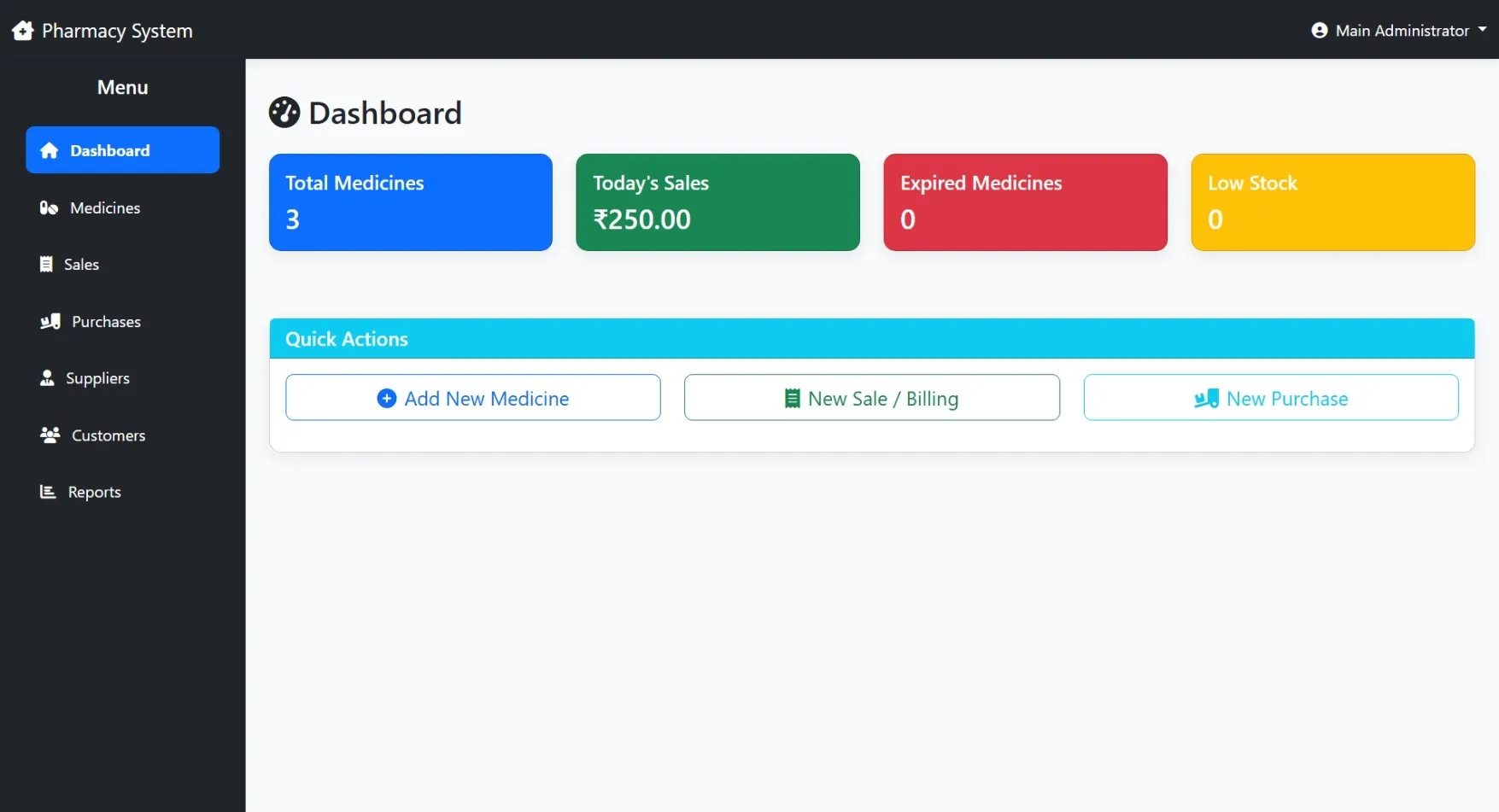
Dashboard
Overview of pharmacy statistics, total sales, stock summary, low-stock alerts, and recent transactions
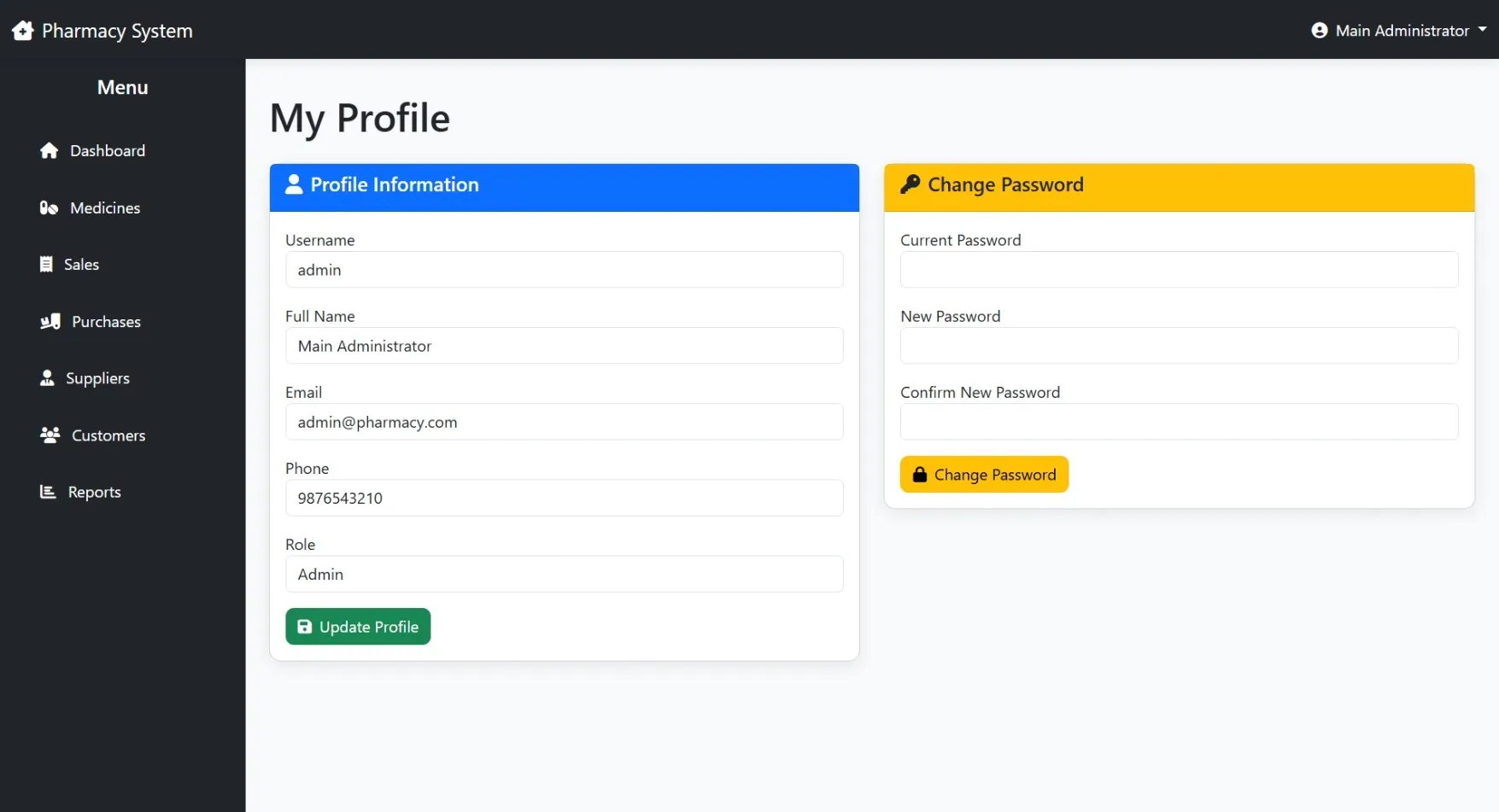
User Management
Manage admin, pharmacist, and staff accounts with role-based access control
Staff Management
Add, edit, assign shifts, and manage responsibilities of pharmacy staff
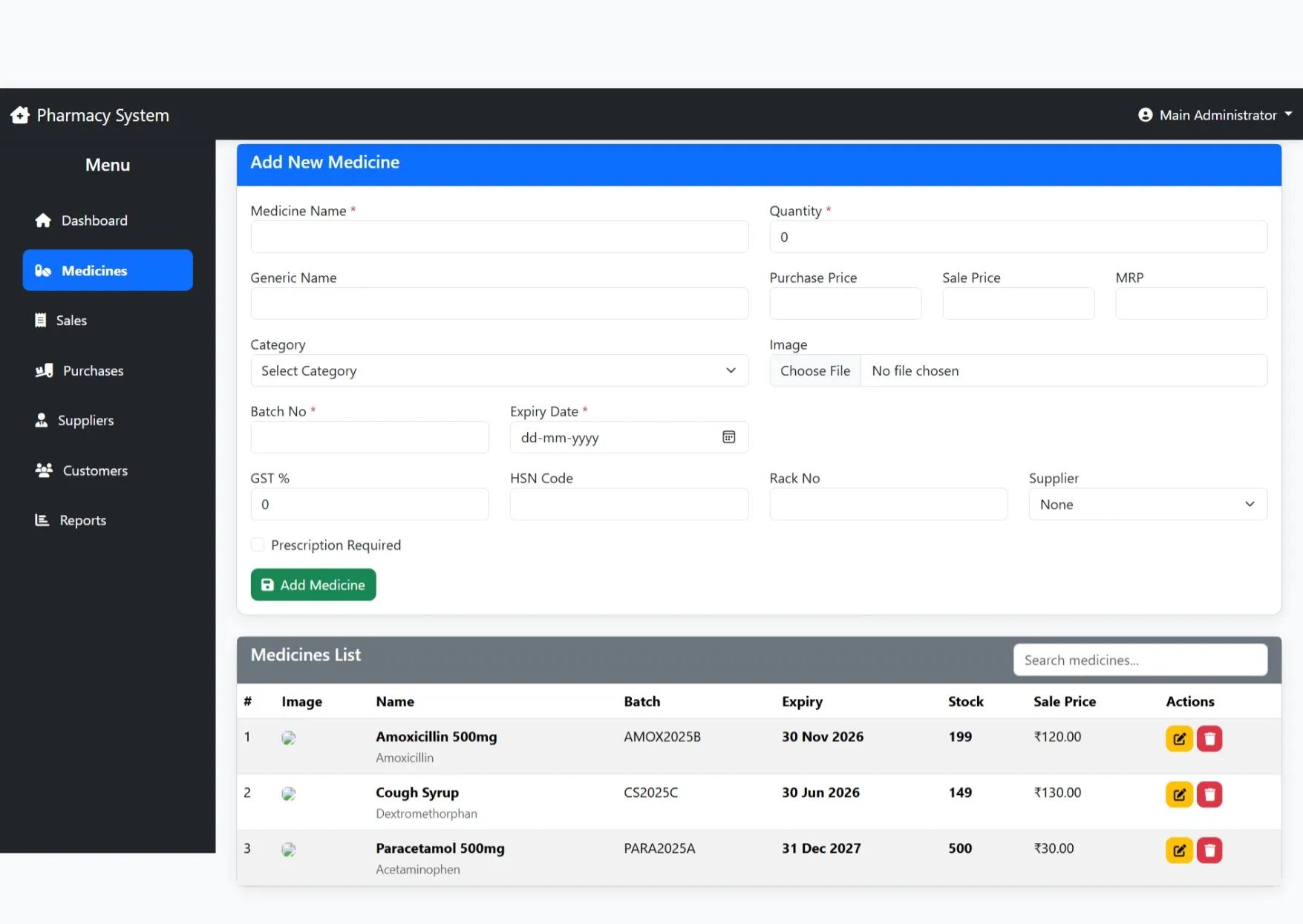
Inventory Management
Manage medicines, categories, batches, suppliers, stock levels, and expiry dates
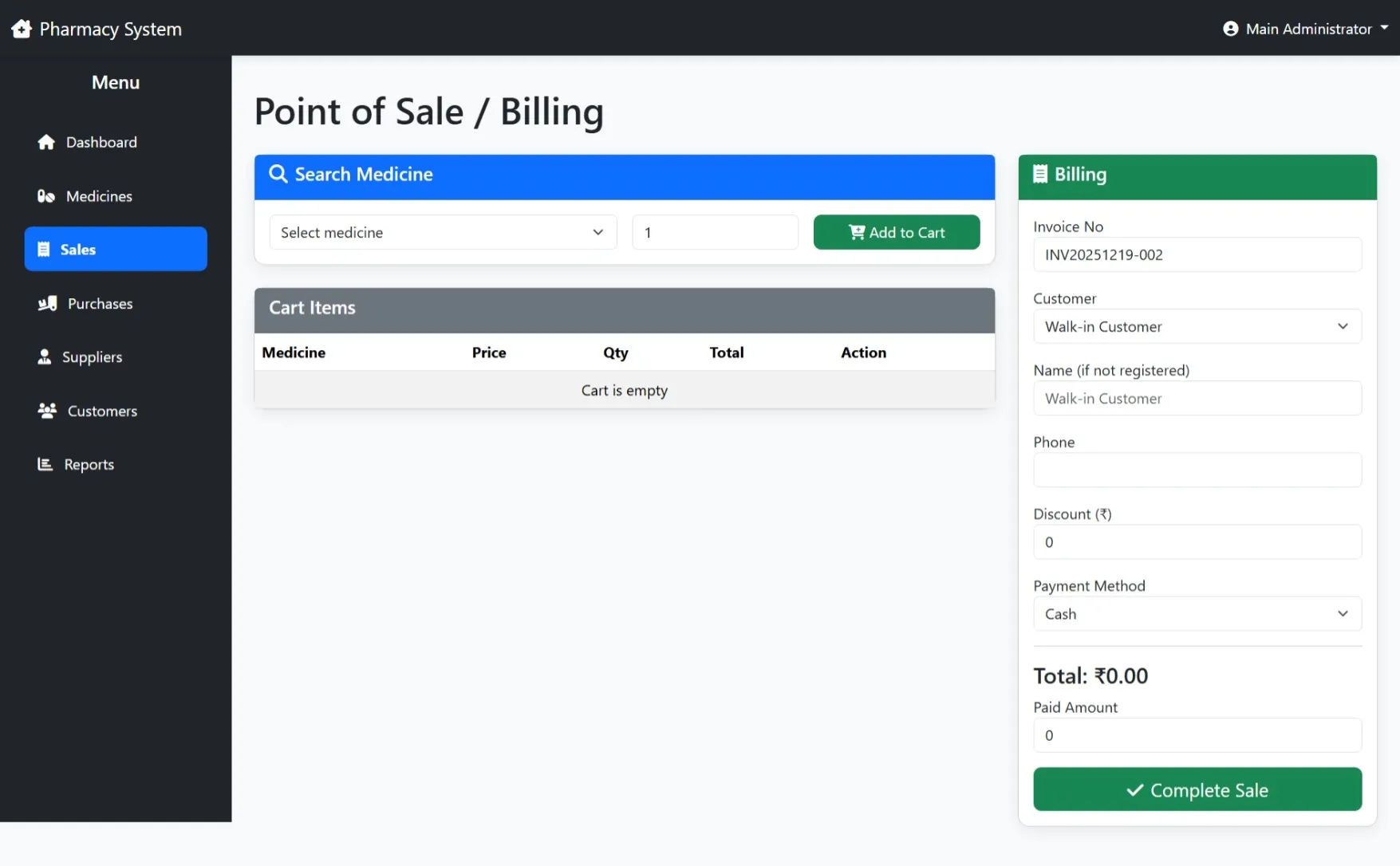
Sales & Billing
Process medicine sales, generate invoices, manage payments, and apply discounts
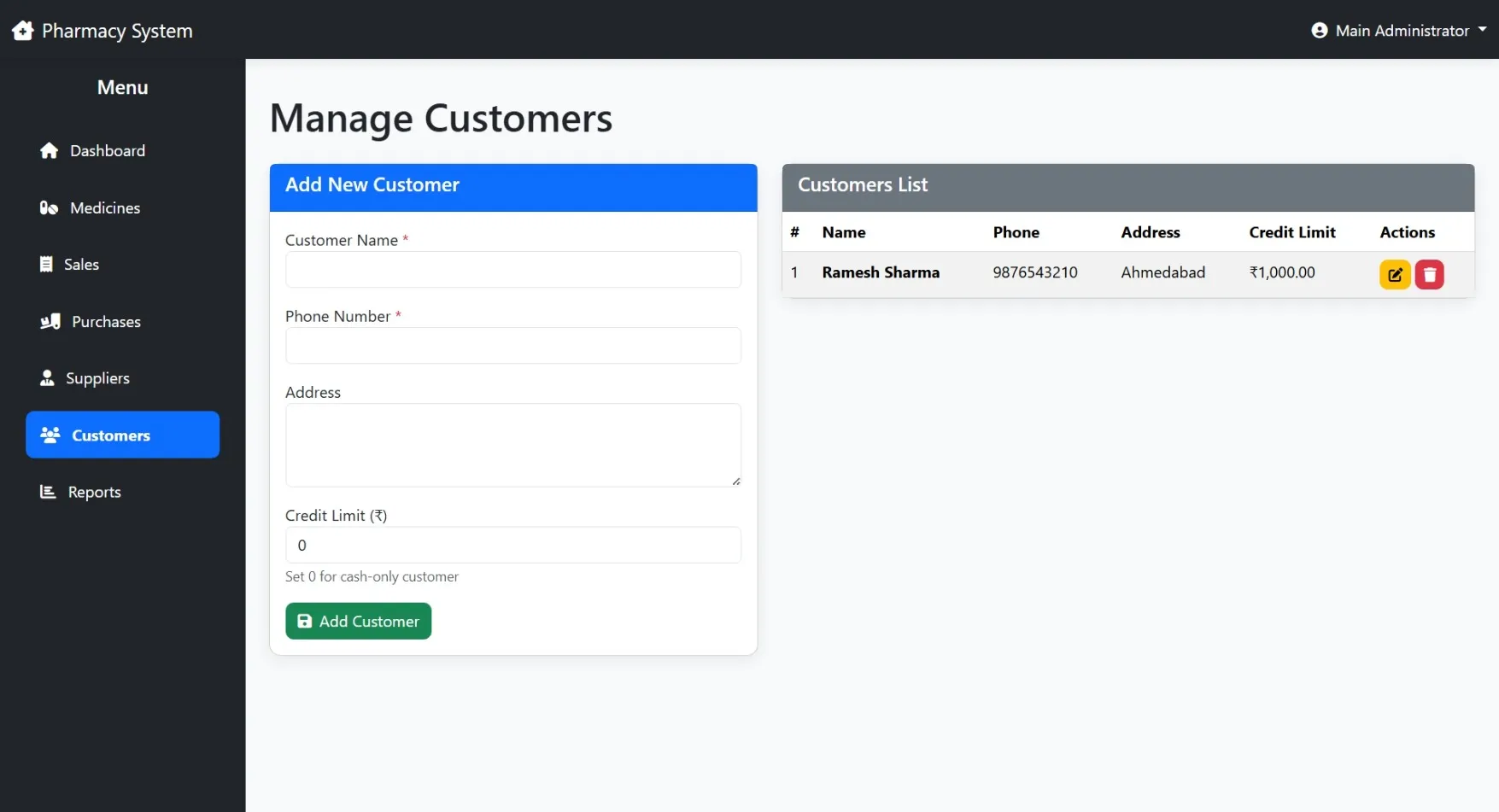
Customer Management
Maintain customer profiles, purchase history, and loyalty details
Prescription Management
Verify prescriptions, manage refills, and record controlled medicine sales
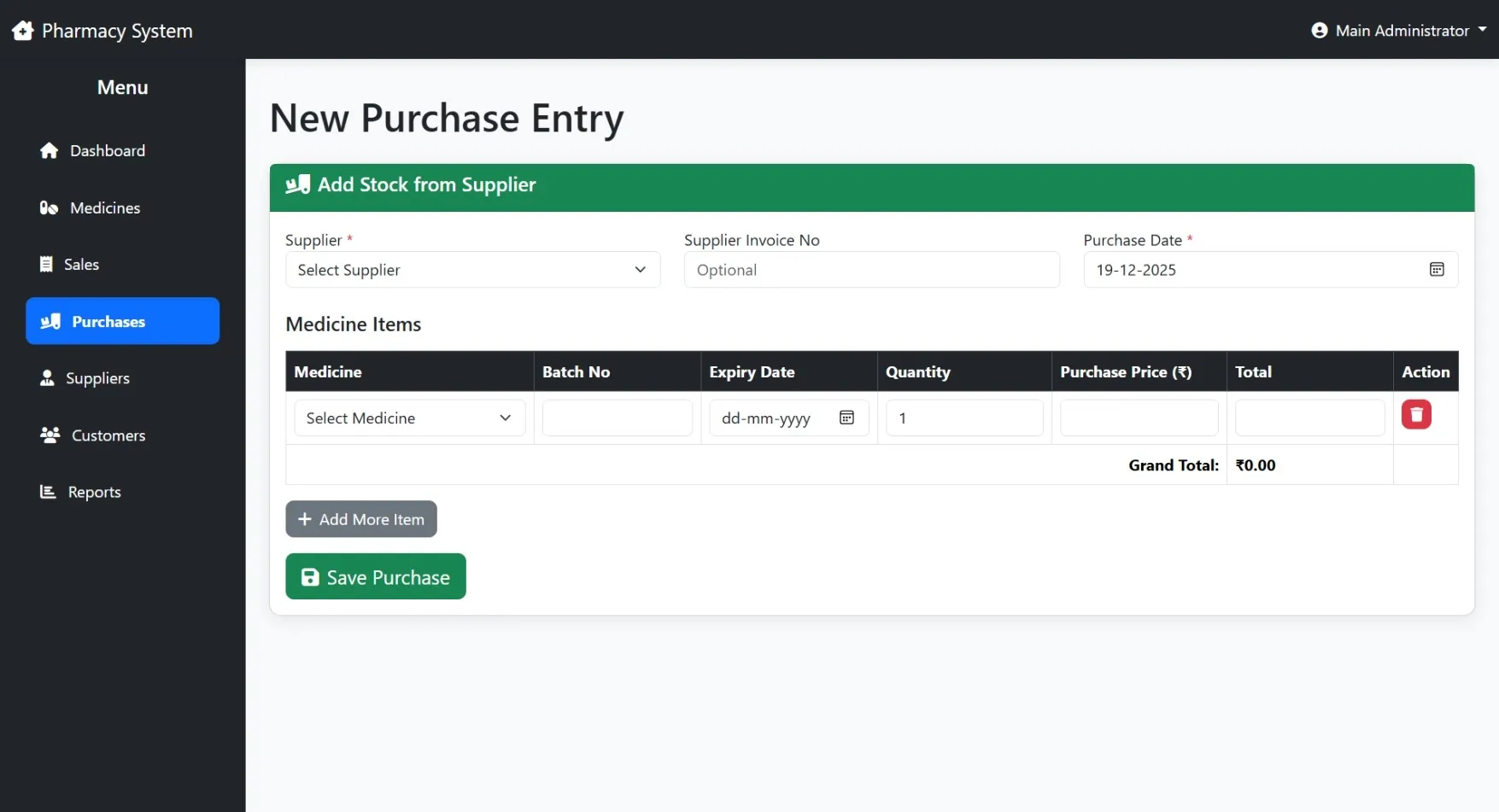
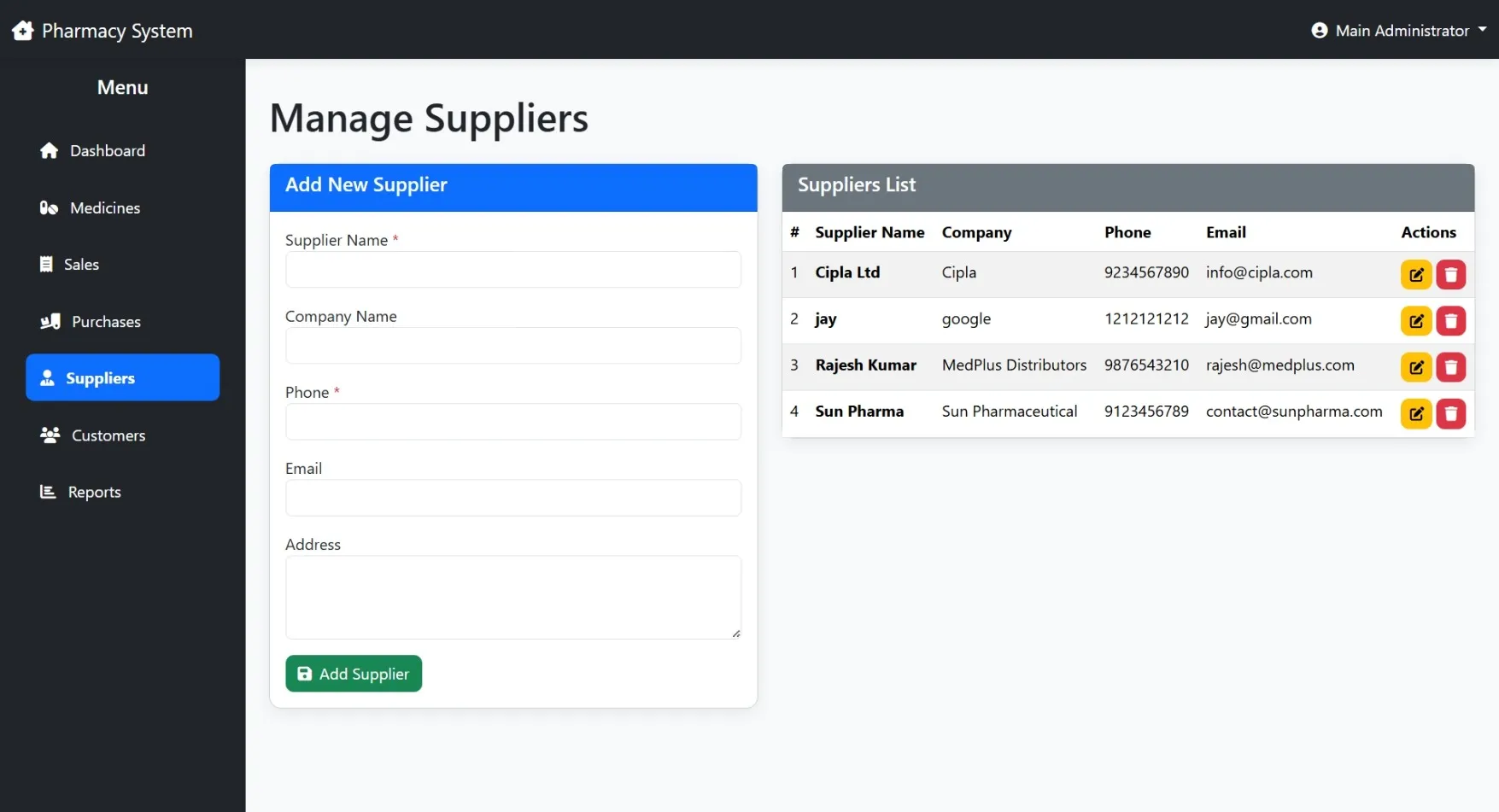
Supplier Management
Add and manage suppliers, purchase orders, and supply history
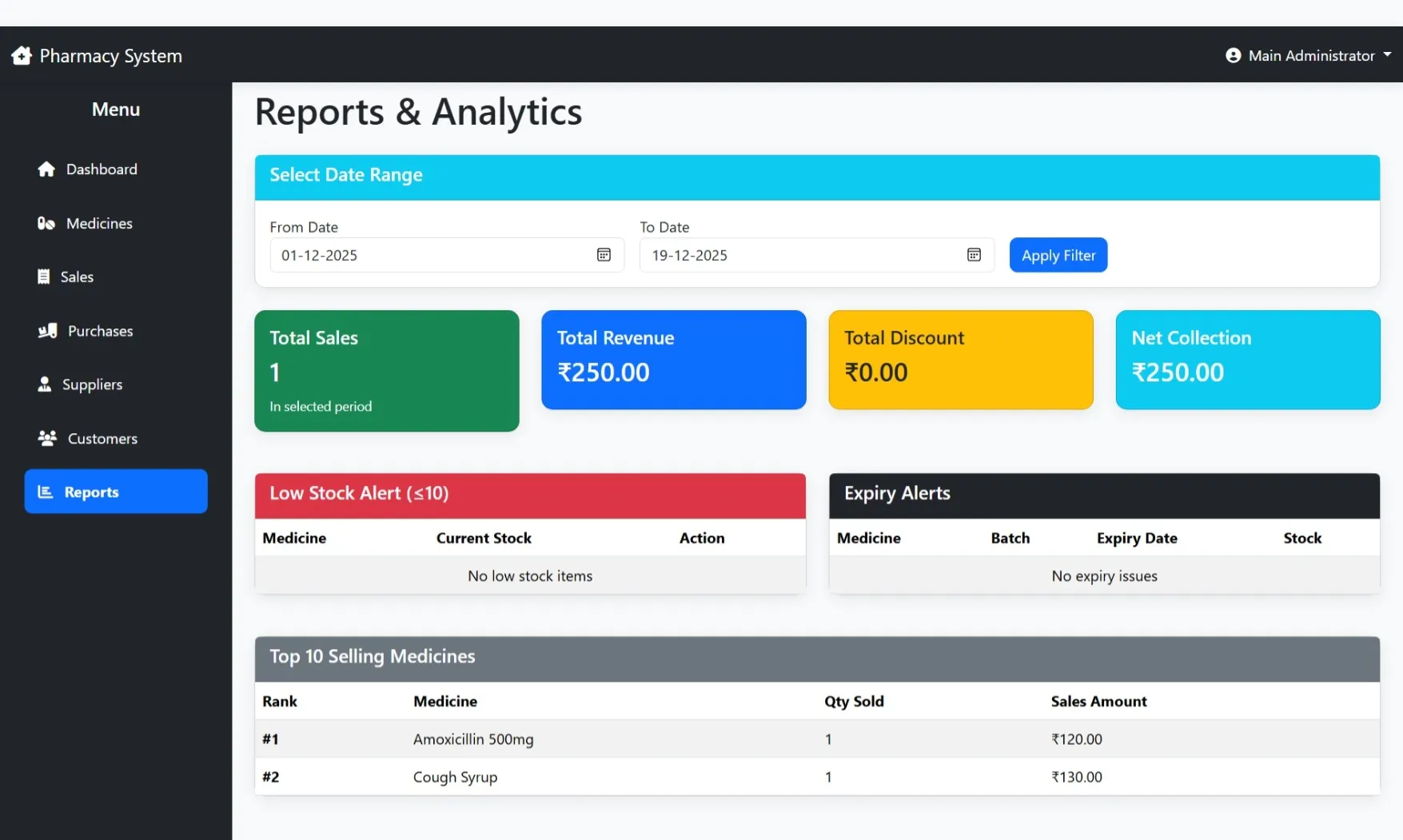
Reports & Analytics
Generate sales, stock, expiry, and profit reports with performance insights
Notifications & Alerts
Send alerts for low stock, expiring medicines, order updates, and promotions
Settings
Configure pharmacy details, tax rates, invoice format, user permissions, and system security
How to Run
▶️ How to Run the Pharmacy Medical Store Management System
🔹 Prerequisites
->XAMPP or WAMP server installed
->Any web browser (Chrome, Firefox, Edge)
🔹 Installation Steps
1. Start Server
->Open XAMPP / WAMP Control Panel
->Start Apache and MySQL
2. Setup Database
->Open browser and go to http://localhost/phpmyadmin
->Create a new database named pharmacy_db
Click Import
->Select the file pharmacy_db.sql
->Click Go to import
3. Run the Project
->Open browser
->Go to http://localhost/pharmacy
🔹 Login Credentials
Admin
->Username: admin
->Password: admin123
🔹 Prerequisites
->XAMPP or WAMP server installed
->Any web browser (Chrome, Firefox, Edge)
🔹 Installation Steps
1. Start Server
->Open XAMPP / WAMP Control Panel
->Start Apache and MySQL
2. Setup Database
->Open browser and go to http://localhost/phpmyadmin
->Create a new database named pharmacy_db
Click Import
->Select the file pharmacy_db.sql
->Click Go to import
3. Run the Project
->Open browser
->Go to http://localhost/pharmacy
🔹 Login Credentials
Admin
->Username: admin
->Password: admin123
Important: Default max downloads per day (per order): 2. Download access may also be limited to 7 days from purchase.