Expense Tracking System
NeuraBUG
in Web Development
Expense Tracking System
₹299.00
₹499.00
Available for download
Project DetailsClick Here
Product DemoClick Here
Description
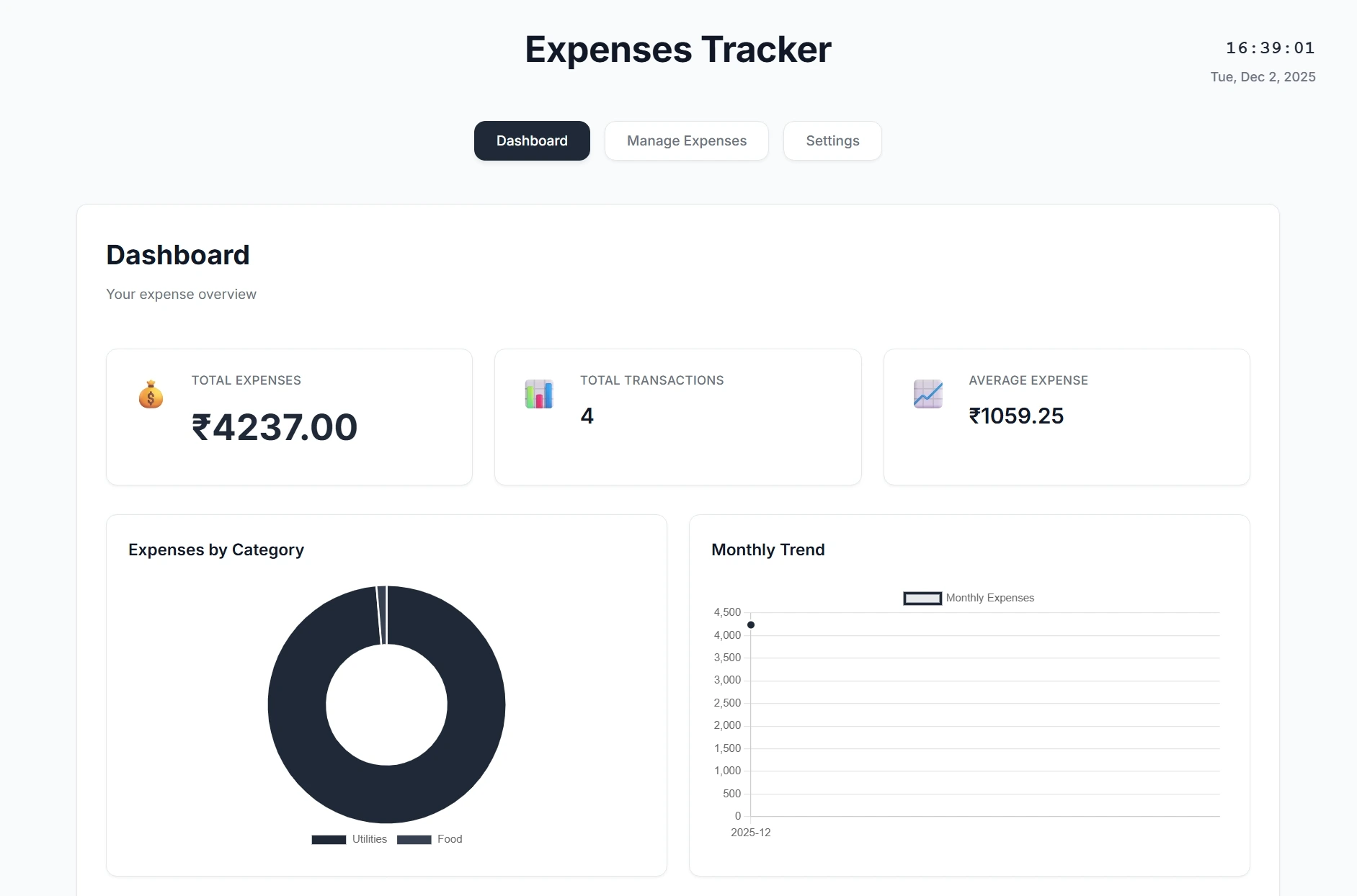
A modern, minimalist web-based expense tracker designed for seamless personal finance management. The platform features a clean dashboard displaying total expenses, category breakdowns, and monthly spending trends. Users can easily manage expenses, categories, and recurring payments, with the flexibility to change currency (default ₹) and backup or restore their data.
The responsive UI includes real-time charts, a list of recent transactions, live date and time, and a safe reset option to clear data without risk. This project combines simplicity and functionality, making expense tracking intuitive and visually appealing.
The responsive UI includes real-time charts, a list of recent transactions, live date and time, and a safe reset option to clear data without risk. This project combines simplicity and functionality, making expense tracking intuitive and visually appealing.
Requirements
Project Name
Expense Tracking System
Language Used
PHP 8.2+, JavaScript, HTML5, CSS3
Database
LocalStorage (browser-based, no backend required)
UI Framework
Responsive custom CSS (Inter font), Chart.js for charts
Web Browser
Mozilla, Google Chrome, IE8, OPERAMozilla,
Software
VS Code (with Live Server extension)
User Module
Dashboard
View total expenses, transaction count, average expense, and monthly trends
Expenses
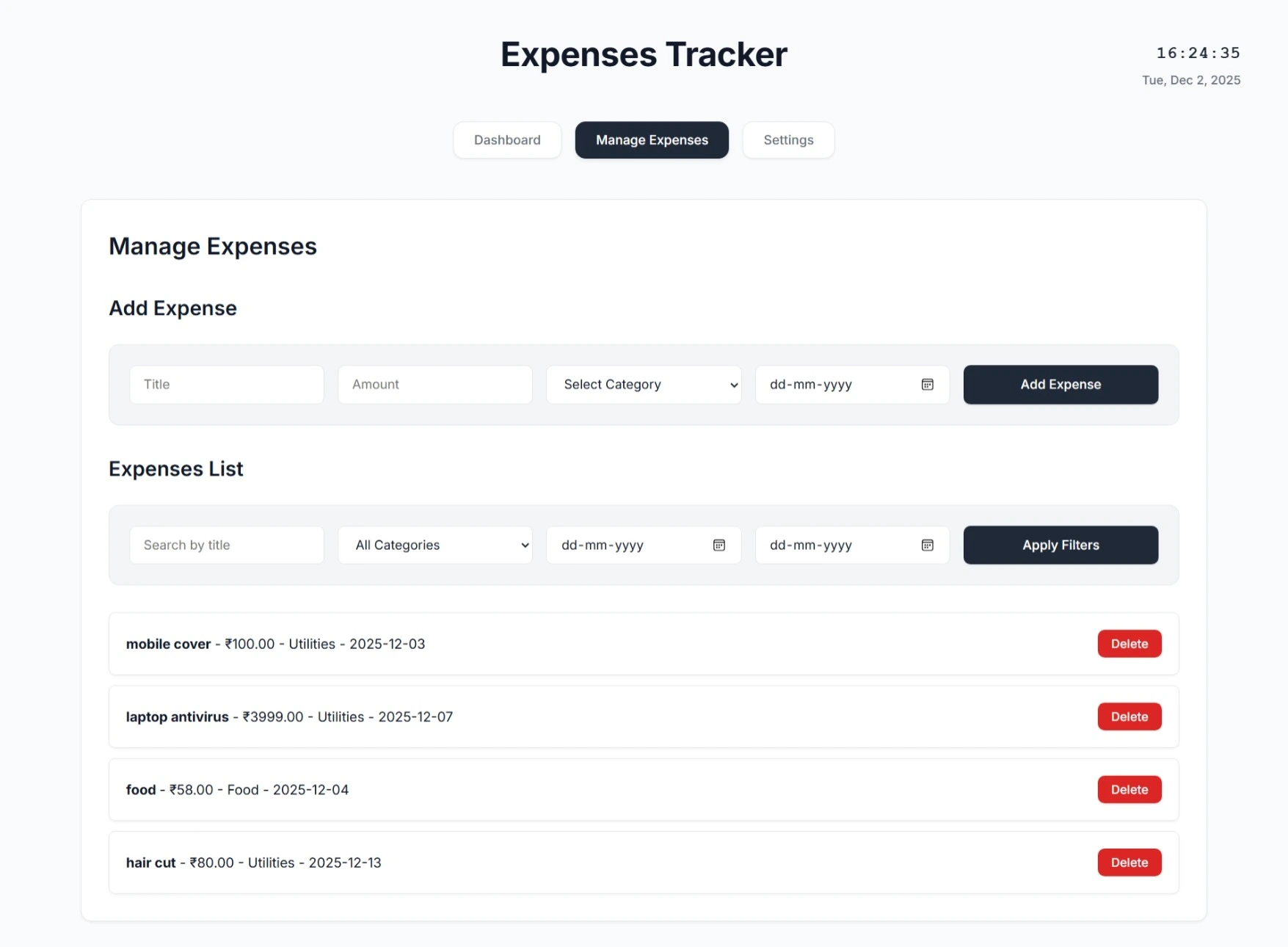
Add, edit, delete, filter, and search expenses with real-time updates
Categories
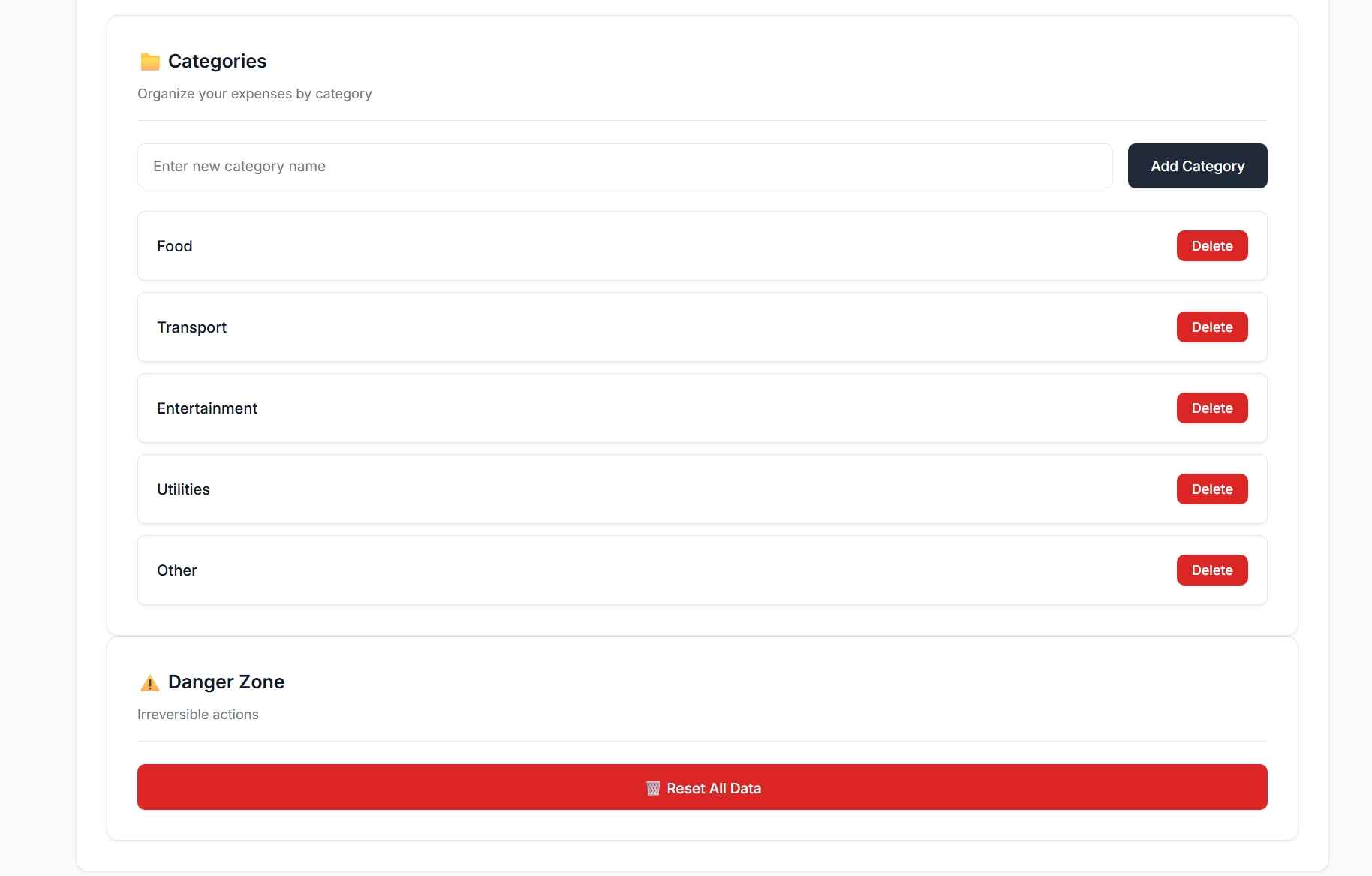
View, add, or delete categories; handles duplicates and reassignment
Recurring Expenses
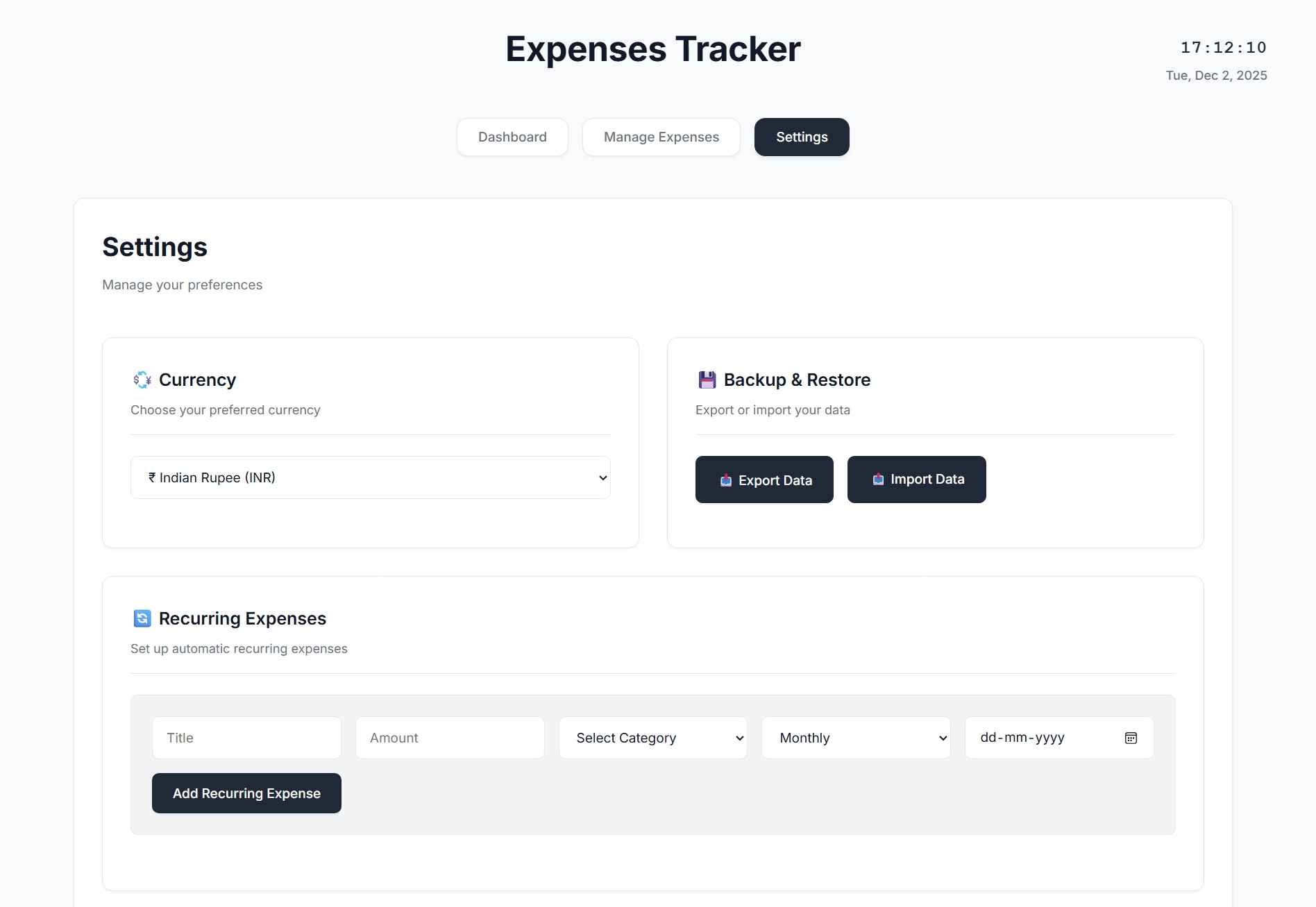
Manage recurring items; enable/disable, delete, and auto-appear in Settings
Settings
Change currency (₹ default), toggle UI preferences, view live date/time
Backup & Restore
Export/import JSON backup; merge or replace data
Data Management
Reset all data with double-confirmation; uses localStorage for persistence
Charts & Analytics
Real-time charts auto-refresh on data change
Help & Support
Access guidance, FAQs, or report issues
How to Run
🧩 Installation & Run Steps (HTML/CSS/JS Only)
Download and unzip the project folder on your local system.
Open the folder in VS Code.
Open the main file (e.g., index.html).
Right-click → Open with Live Server (or open in any browser).
The project will run instantly, fully functional with localStorage to save data.
🔐 No login required (data is stored in your browser).
👉 All changes (expenses, categories, settings) are saved automatically via localStorage.
Download and unzip the project folder on your local system.
Open the folder in VS Code.
Open the main file (e.g., index.html).
Right-click → Open with Live Server (or open in any browser).
The project will run instantly, fully functional with localStorage to save data.
🔐 No login required (data is stored in your browser).
👉 All changes (expenses, categories, settings) are saved automatically via localStorage.
Important: Default max downloads per day (per order): 2. Download access may also be limited to 7 days from purchase.